Semrush MCP Server: Integrating Semrush with AI (Code Inside)
-min.png)
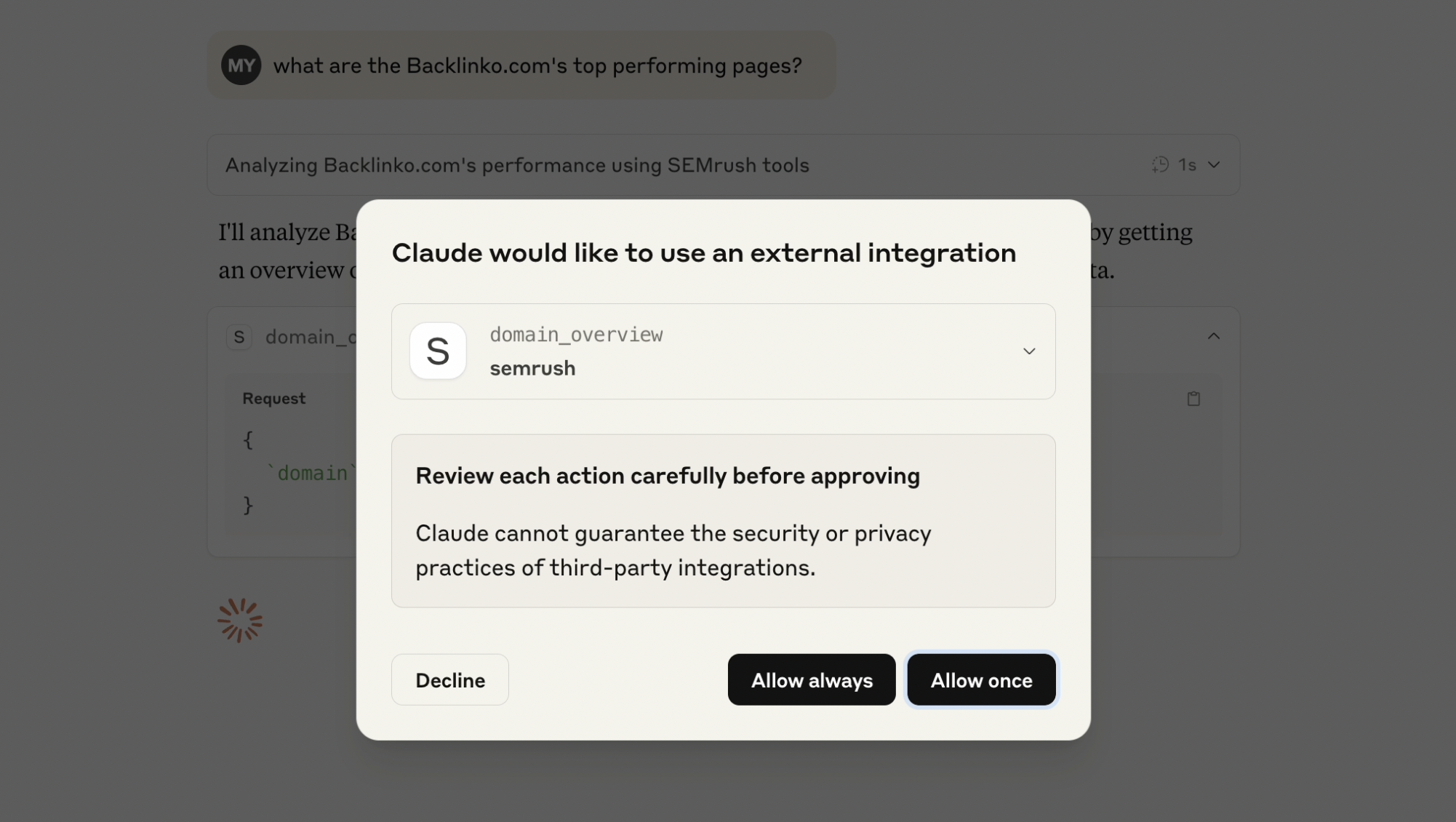
When working with SEO data, I found myself constantly switching between my AI assistant and various SEO tools. This context switching wasn’t just inefficient - it broke the flow of analysis and made it harder to connect insights across different data points. Here’s how I approached building a bridge between Semrush’s API and Claude using the Model Context Protocol (MCP).
Get your free Semrush MCP server here: https://github.com/metehan777/semrush-mcp
The Problem Space
Modern SEO analysis involves juggling multiple data sources: keyword metrics, competitor analysis, backlink profiles, and search rankings. While tools like Semrush provide comprehensive data, accessing this information typically requires:
- Opening multiple browser tabs
- Manually copying data between tools
- Losing context when switching applications
- Repeating similar queries with slight variations
AI assistants excel at understanding context and generating insights, but they’re limited to their training data. They can’t access real-time SEO metrics or analyze specific domains without current data.
Understanding MCP
The Model Context Protocol provides a standardized way for AI assistants to interact with external tools. Think of it as an API translation layer - it takes natural language requests, converts them to tool-specific API calls, and returns structured data the AI can understand.
For this project, MCP serves as the middleware between Claude’s natural language processing and Semrush’s API. The protocol handles:
- Tool discovery and description
- Parameter validation
- Error handling
- Response formatting
Technical Architecture
The server is built with TypeScript to ensure type safety across the API boundaries. Here’s the core structure:
// Tool definition with Zod schemas
const DomainOverviewSchema = z.object({
  domain: z.string().describe('Domain to analyze'),
  database: z.string().default('us').describe('Database code'),
});

// MCP tool registration
{
  name: 'domain_overview',
  description: 'Get domain analytics overview',
  inputSchema: {
    type: 'object',
    properties: DomainOverviewSchema.shape,
    required: ['domain'],
  },
}
The architecture follows a simple flow:
- Claude sends a natural language request
- MCP server parses the intent and extracts parameters
- Parameters are validated against Zod schemas
- Semrush API is called with proper formatting
- Response is parsed and returned to Claude

Get your free Semrush MCP server here: https://github.com/metehan777/semrush-mcp

Implementation Challenges
API Response Parsing
Semrush returns data in various formats - sometimes JSON, sometimes CSV-like text. The server needs to handle both:
if (typeof response.data === 'string') {
  // Parse CSV-like response
  const lines = response.data.trim().split('\n');
  const headers = lines[0].split(';');
  // Convert to JSON structure
}
This inconsistency required building adaptive parsing logic that could handle different response types without breaking the flow.
Rate Limiting Considerations
Semrush enforces API rate limits based on your plan. Rather than implementing complex rate limiting logic, I opted for a simpler approach - letting the API return rate limit errors and surfacing them to the user. This transparency helps users understand when they need to pace their queries.
Schema Design
Designing the input schemas required balancing flexibility with usability. For example, the database parameter defaults to ‘us’ but accepts any valid Semrush database code:
database: z.string().default('us').describe('Database code')
This approach provides sensible defaults while allowing power users to specify different regions.
See it in action
https://www.youtube.com/watch?v=xxD2USRvWFY&ab_channel=MetehanYe%C5%9Filyurt
Lessons Learned
Natural Language Boundaries
One interesting discovery was finding the sweet spot for natural language interpretation. Too much flexibility in query interpretation leads to ambiguity. For instance, “analyze example.com” could mean domain overview, keyword analysis, or backlink checking.
The solution was to create specific tools for each use case rather than trying to build one omniscient tool. This makes the user’s intent clearer and provides more predictable results.
Error Handling Philosophy
Rather than trying to handle every possible error gracefully, I found it more useful to surface meaningful error messages. When the Semrush API returns an error, the full context is passed to Claude, who can then explain it in user-friendly terms.
Data Transformation Decisions
I debated whether to transform Semrush’s data into a more user-friendly format or pass it through raw. I chose minimal transformation - only converting CSV to JSON when necessary. This preserves all the original data while making it easier for Claude to process.
Performance Observations
The additional network hop (Claude → MCP Server → Semrush → MCP Server → Claude) adds roughly 1-2 seconds to each query. This latency is acceptable for most use cases, especially considering the alternative of manual data lookup.
Memory usage remains minimal since the server doesn’t cache responses. Each request is stateless, which simplifies the implementation and reduces potential issues with stale data.
Future Considerations
Several improvements could enhance the implementation:
Batch Operations: Currently, each tool call is independent. Supporting batch operations could reduce API calls for related queries.
Response Caching: For expensive queries that rarely change (like historical data), implementing a simple cache could improve performance.
Streaming Responses: For large datasets, streaming responses could provide faster initial feedback to users.
Extended Tool Coverage: Semrush offers dozens of API endpoints. The current implementation covers the most common use cases, but there’s room for expansion.
Conclusion
Building this MCP server highlighted both the potential and current limitations of tool integration with AI assistants. The technical implementation is straightforward - the real challenge lies in designing intuitive interfaces that bridge the gap between human intent and API capabilities.
The combination of natural language understanding and real-time data access creates new workflows that weren’t possible before. However, it’s not about replacing existing tools - it’s about creating a more fluid way to access and analyze data within your existing workflow.
For developers looking to build similar integrations, the key insight is to start simple. Pick a few core functions, implement them well, and iterate based on actual usage patterns. The MCP protocol provides a solid foundation, but the real value comes from thoughtful API design and understanding your users’ needs.
Get new research on AI search, SEO experiments, and LLM visibility delivered to your inbox.
Powered by Substack · No spam · Unsubscribe anytime