Experiment with Google Document AI Layout Parser: Here's What I Found
-min.png)
**I recently ran an experiment using Google’s Document AI Layout Parser (available in Google Cloud Console) on three different types of web content. While this isn’t exactly how Google Search processes pages, it gives us some useful insights into how machine parsing might interpret our document structures. **
The goal? To help SEOs think more carefully about their HTML structure and how it might impact search visibility. It may also help your passages/paragraphs for AIO and AI Mode.
What I Tested
I used the Layout Parser on three different pages:
-
A long technical SEO article from iPullRank “How AI Mode Works and How SEO Can Prepare for the Future of Search”
-
A mobile app marketing landing page
-
A user acquisition guide
The parser converts HTML documents into structured JSON data, showing how the content gets broken down into blocks, their relationships, and classifications.
Here is the full JSON output of iPullRank’s legendary post.
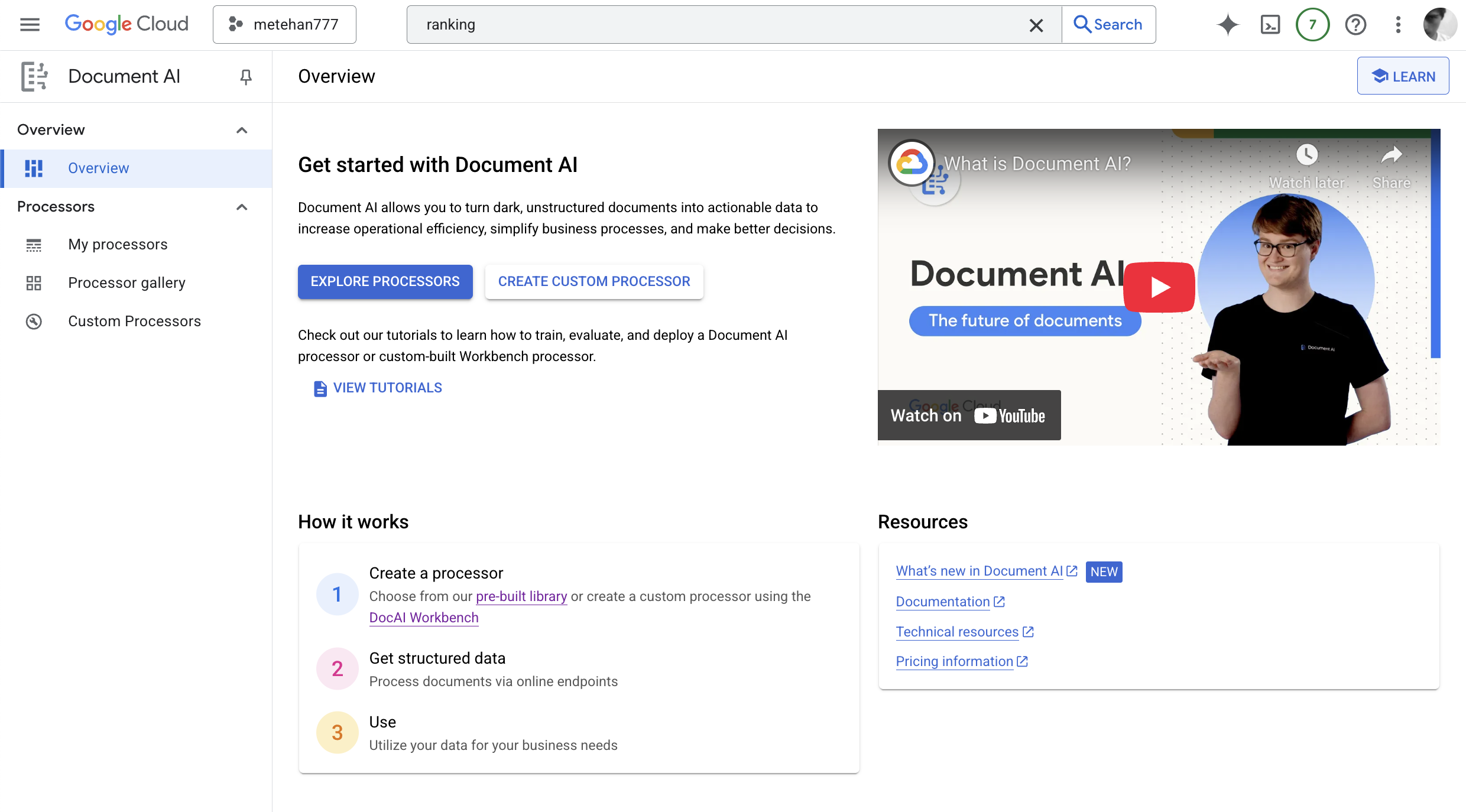
How to Play With Google Document AI Layout Parser?
Step 1: Visit https://console.cloud.google.com/ai/document-ai/ and click to “Explore Processsors”
Step 2: Click to “Layout Parser”
 Step 3: Copy any webpage source code and save as HTML, then upload as a test document.
 Step 4: Download JSON and analyze with LLMs.

What the Parser Showed Me
Finding 1: Every Element Gets Tracked
The parser assigns a unique ID to every DOM element, including empty ones:
{
  "blockId": "8"  // Empty block
},
{
  "blockId": "9"  // Another empty block
},
{
  "blockId": "10",
  "textBlock": {
    "text": "actual content here...",
    "type": "paragraph"
  }
}
This suggests that excessive HTML wrappers and empty elements might create unnecessary processing overhead.
Finding 2: Navigation Can Bury Your Content
One of the pages had 121 navigation-related blocks before any actual content appeared. The parser had to process all of that before reaching the main content at block 122.
| Page Type | First Content Block | Navigation Blocks |
|---|---|---|
| SEO Article | Block 3 | 2 blocks |
| App Landing Page | Block 122 | 121 blocks |
| User Guide | Block 1 | 0 blocks |
Finding 3: Content Type Classification
The parser classifies different content types:
heading-1throughheading-6paragraphheader(different from headings)footerunorderedandorderedlists
Interestingly, it distinguishes between header elements and heading elements, which might indicate different weighting.
Finding 4: Hierarchical Relationships Matter
The parser preserves parent-child relationships:
{
  "blockId": "4",
  "textBlock": {
    "text": "Main Heading",
    "type": "heading-1",
    "blocks": [{
      "blockId": "5",
      "textBlock": {
        "text": "Subheading content",
        "type": "paragraph"
      }
    }]
  }
}
Content nested under headings maintains its semantic connection to those headings.
Finding 5: Tables and Lists Get Special Treatment
The parser perfectly preserves table and list structures, including cell spans and list types. This structured data seems ideal for extraction and featured snippets (now AIO).
Practical Takeaways for SEOs
Based on this experiment, here are some things to consider:
1. Reduce HTML Bloat
- Minimize wrapper divs and empty elements
- Get content as close to the top of the DOM as possible
- Clean up unnecessary navigation complexity
2. Use Proper Heading Hierarchy
Keep it simple and logical:
# Main Topic


## Subtopic


### Details
3. Structure Content in Digestible Blocks
- Use lists for features, steps, or comparisons
- Use tables for data comparisons
- Keep paragraphs focused on single ideas
4. Make Passages Self-Contained
Each section should make sense on its own, as it might be extracted independently for passage ranking or featured snippets.
Limitations of This Experiment
It’s important to note:
- This is Document AI, not Google Search’s actual parser
- Google Search likely uses much more sophisticated processing
- This is just one signal among hundreds that Google uses
- The actual impact on rankings would need proper testing
Testing Your Own Pages
If you want to try this yourself:
- Set up a Google Cloud Console account
- Enable the Document AI API
- Use the Layout Parser processor
- Analyze the JSON output for your pages
You can also use simpler tools like:
- Browser DevTools to inspect your DOM structure
- Screaming Frog for heading hierarchy analysis
- Page speed tools to identify render-blocking resources
Final Thoughts
While we have many ideas/thesis and experiments how Google Search parses our pages, experiments like this help us think more critically about our HTML structure. Clean, semantic markup isn’t just good for accessibility and maintenance - it might also help search engines better understand our content.
The key takeaway? Keep your HTML clean, your structure logical, and your content easily accessible. These are good practices regardless of how search engines parse your pages.
Have you experimented with Document AI or noticed any patterns in how structure affects your search visibility? I’d be interested to hear what you’ve found.
Get new research on AI search, SEO experiments, and LLM visibility delivered to your inbox.
Powered by Substack · No spam · Unsubscribe anytime